 View game
ROBLOX GAME DETAILS
Drone Testing
By Studio Koi Koi
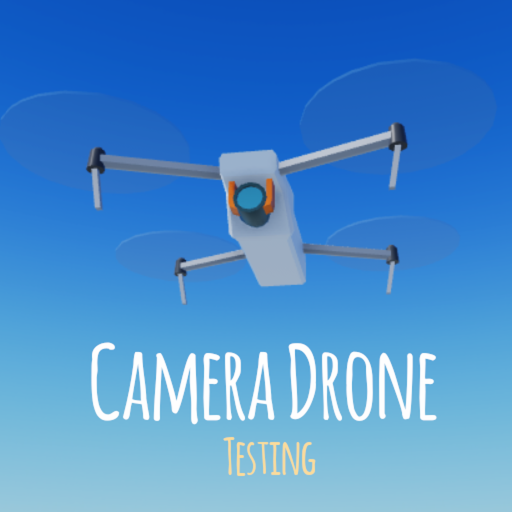
Fly a drone over this beautiful area. Race to the skies! Controls on PC: Exit - Backspace Move fast - Ctrl Move slow - Shift Fov zoom in/out - Mouse wheel WASD - Strafe QE - Move up/down Look - Mouse movement Up/Down arrow - Adjust Gamepad DPad up/Down - Depth of field up/down Dpad left/right Depth of field distance change Mobile: Tilt phone to move Tap and hold to stafe
Playing now2
Total visits3.6M
Favorites6K
Max server30
ABOUT THIS EXPERIENCE
About Drone Testing
Fly a drone over this beautiful area. Race to the skies! Controls on PC: Exit - Backspace Move fast - Ctrl Move slow - Shift Fov zoom in/out - Mouse wheel WASD - Strafe QE - Move up/down Look - Mouse movement Up/Down arrow - Adjust Gamepad DPad up/Down - Depth of field up/down Dpad left/right Depth of field distance change Mobile: Tilt phone to move Tap and hold to stafe
CreatorStudio Koi KoiGenreAdventureCreatedMar 21, 2022Last updatedJul 28, 2023
Player activity, visits and other stats can change as Roblox updates its data. MADGAMES refreshes these details periodically rather than storing a permanent snapshot.
RELATED DISCOVERY
More Roblox games like Drone Testing




BROWSE BY INTEREST
Roblox game collections
Drone Testing FAQ
Where can I play Drone Testing?
Use the official Roblox play link on this page. The experience runs on Roblox; MADGAMES does not host or copy the Roblox game files.
Is Drone Testing active right now?
The player count shown on this page comes from Roblox data and can change throughout the day.
Who made Drone Testing?
Roblox lists Studio Koi Koi as the creator of this experience.
How do I download Drone Testing?
Drone Testing has no separate download. It is a Roblox experience, so install the free Roblox app on your phone, tablet, computer or console, sign in, and open Drone Testing from the official play link on this page.
Does Drone Testing have codes?
If the creator releases codes, they are usually announced in the game description on Roblox, in the creator's Roblox group or on their social channels. MADGAMES does not publish codes, so check the official Roblox page for the latest ones.
Helpful guides: How to download and play Roblox games · How to find and redeem Roblox game codes · How to find good Roblox games
Roblox and the individual experiences listed here are owned and operated by Roblox and their respective creators. MADGAMES is an independent discovery site and is not Roblox.